AI Calendar
Reimagining the calendar as something you talk to, where you type a sentence and it schedules, reshuffles, and tells you the truth about where your time actually goes.
Type
Concept · Self-brief
Role
End-to-end design
Tools
Figma
Focus
NLP · LLM · Insights
01, Purpose of a calendar
What a calendar is really for
Booking & managing personal and professional appointments.
Organising and prioritising tasks to hit deadlines.
Daily meetings, weekly classes, monthly check-ups.
Alerts for upcoming events and deadlines.
Sharing calendars with colleagues, family or friends.
02, Competitor analysis
The field: Motion, Reclaim, Google, Notion
I compared the leaders on the features that actually differentiate an AI calendar, and mapped the gaps worth designing into.
Assumptions
Who I designed for
Comfortable with basic productivity and calendar apps.
Prefer interacting via everyday language, text or voice.
Expect it to plug into email, other calendars and task tools.
Believe AI boosts productivity without irrelevant suggestions.
Personas
Two very busy people
27 · Senior Software Engineer · New Delhi
Tech-savvy, on a design team, time-crunched, and trying to get fit. Wants to schedule effectively and efficiently.
Pain points
- Overlapping meetings & last-minute changes
- Manually updating his calendar eats time
- Juggling multiple task deadlines
Goals
- Manage time effectively
- Healthy work-life balance
- Integrates with other productivity apps
34 · Event Planner · Hyderabad
Runs her own event company, corporate events, weddings, socials. Constantly coordinating clients, vendors and her team.
Pain points
- Complex schedules, many stakeholders
- Overwhelmed by tasks & deadlines
- Manual client/vendor coordination is slow
Goals
- Manage many events, meetings & vendors
- Streamline so every event runs smoothly
- Be well-organised and proactive for clients
Opportunity
How can AI solve for a calendar?
Finds the best times based on availability & preferences.
Interact with the calendar in everyday language.
Organises events into categories for easier management.
Meeting durations & busy periods from past data.
Finds common availability among participants.
Helps users hit goals like gym or swimming.
Proposes alternative times when conflicts arise.
Shows how time is spent on work vs personal goals.
Scope
For this project,
I focused on three.
Interact with the calendar to create tasks in natural language.
Gather data and understand the patterns in your calendar.
Understand how much time goes to work vs personal goals.
Onboarding
Value from day one
I identified the key data points needed to get the best out of a calendar, and captured them up front, so the product delivers value the moment you start.
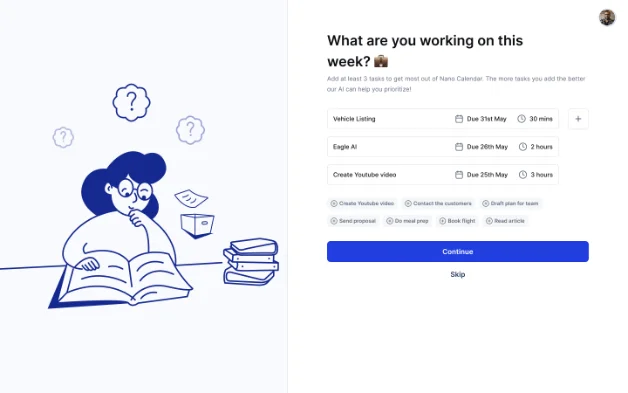
Set up your tasks for this week.
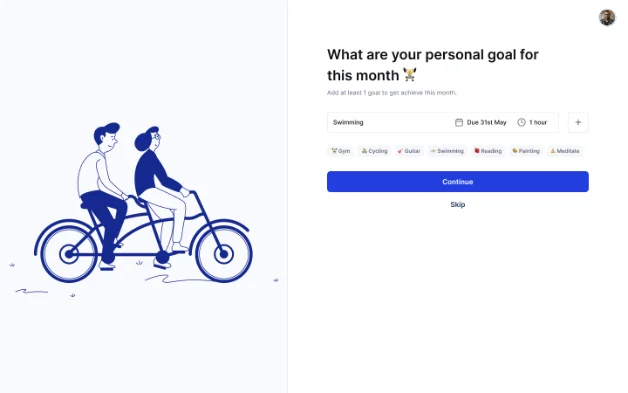
Set up your personal goals so we can help you hit them.
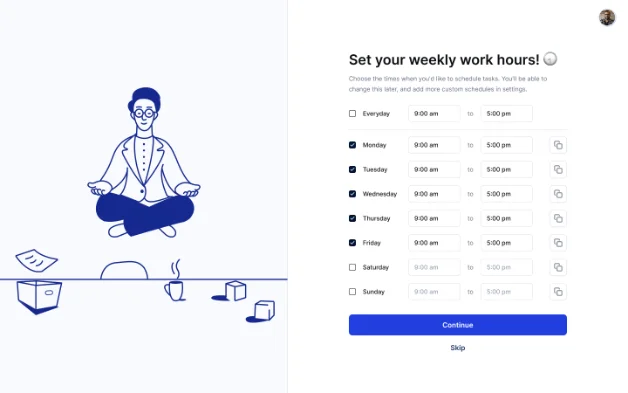
Set your weekly work hours so tasks stay inside your real availability.
The interface
The calendar
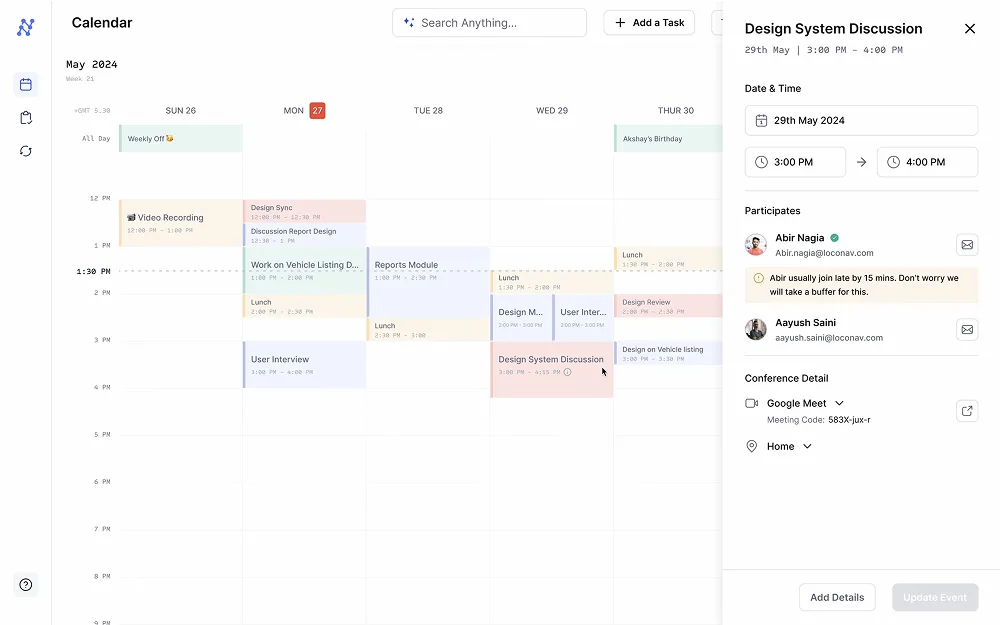
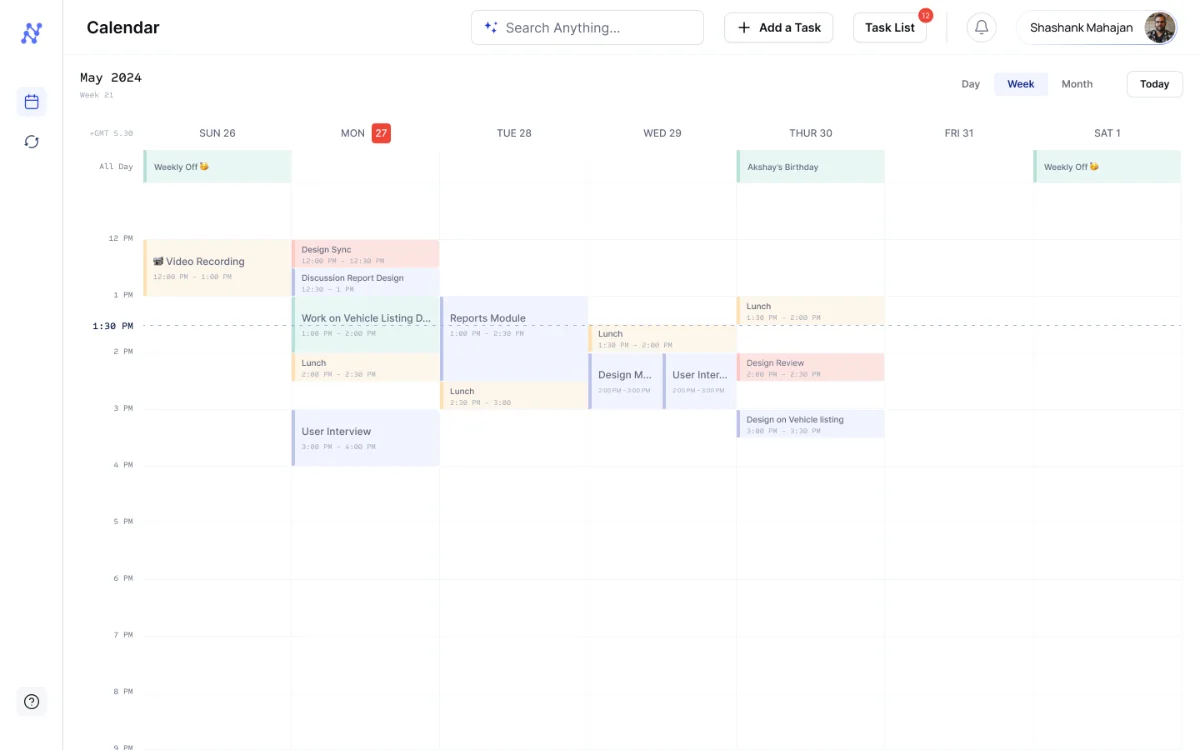
The main interface, the primary place to view and manage a schedule. Designed to be clean and effortless so users can quickly scan through their events.
01, Natural Language Processing
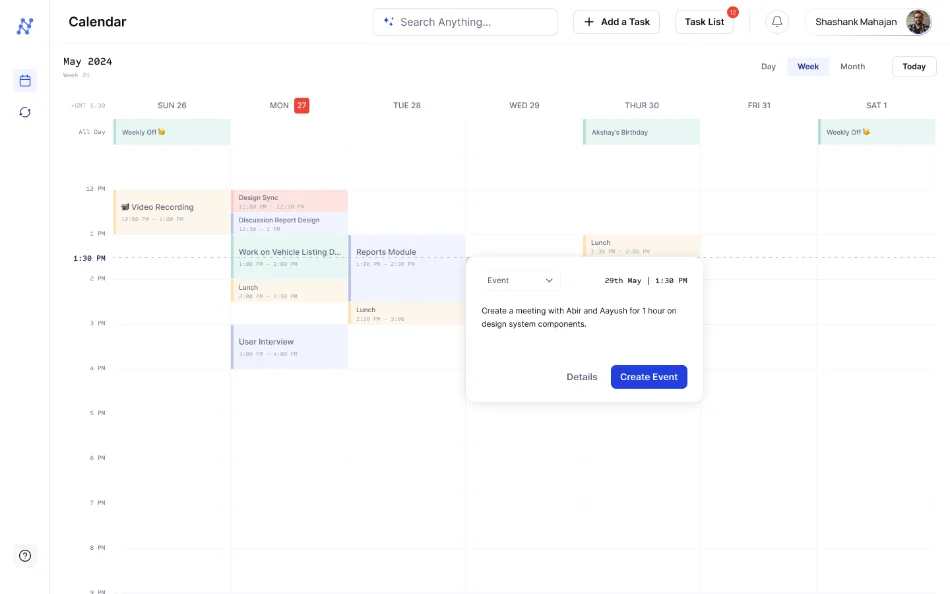
Just say what you need
Users interact with the calendar in a conversation to input event details, title, duration and attendees, with no forms to fight.
Comprehensive task builder
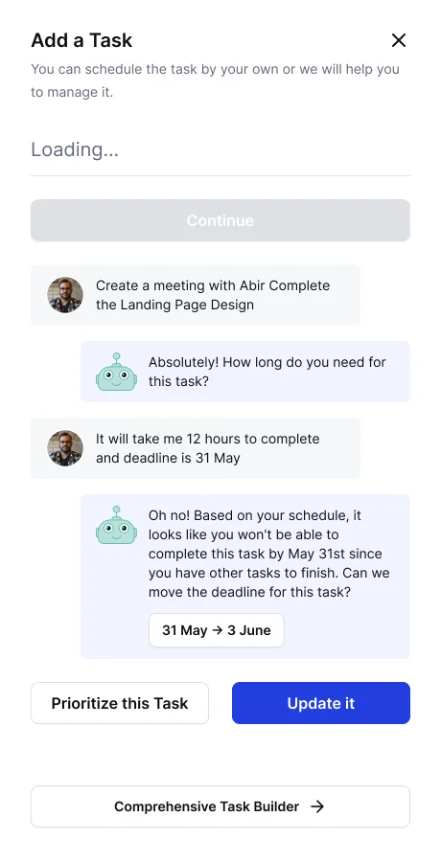
Add a task, honestly
An intuitive chat-style form gathers just enough detail, then does the hard part: checking whether a new task even fits. When it doesn't, it says so, and offers to move the deadline or reprioritise.
The moment it earns trust
"It'll take me 12 hours and the deadline is 31 May."
"Oh no, based on your schedule you won't finish by May 31st, you have other tasks. Can we move the deadline? 31 May → 3 June", with Prioritise this task or Update it.
02, Large Language Models
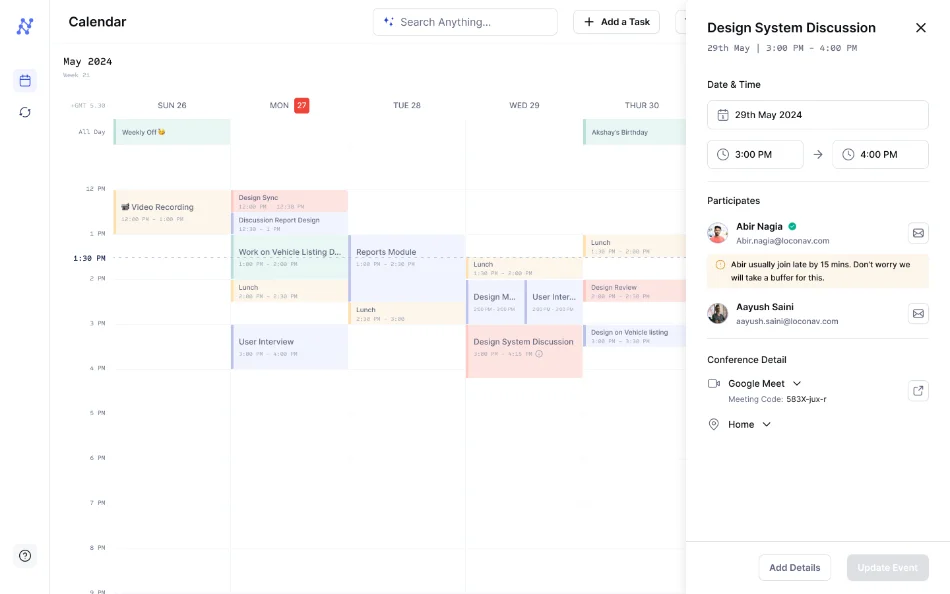
Event details that think ahead
Buffer-time optimisation
A sidebar to view and edit event info, plus insights drawn from team members' patterns, so scheduling accounts for reality, not the ideal.
"Abir usually joins 15 mins late. Don't worry, we'll add a buffer for this."
03, Actionable insights
The "Ahaan" moment
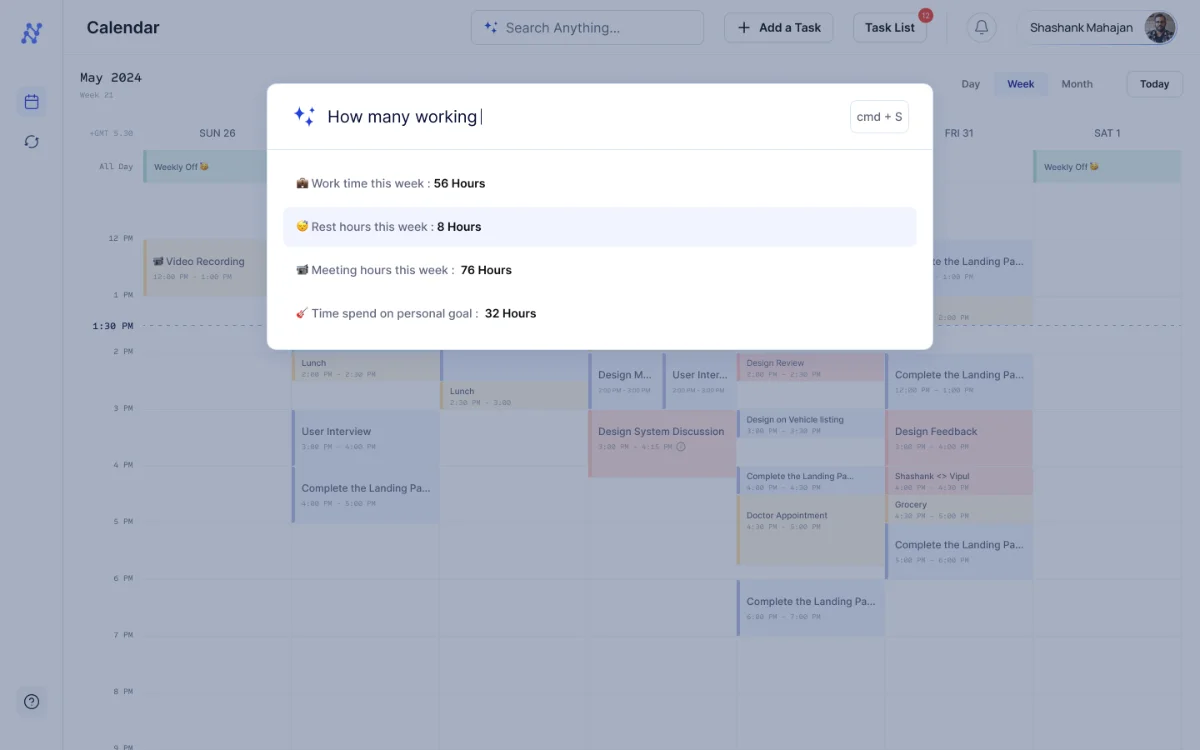
Ask the calendar anything about your time and it answers, analysis of work time, rest allocation, progress toward personal goals, and a full breakdown of a project's hours for painless billing.
Work time this week
Meeting hours this week
Time on personal goals
Rest hours this week
"How many hours on the SliceVista project this month?"
Total 76h · UI 40h · user research 24h · prototyping 7h · handoff 5h, so a freelancer can track time accurately and generate a bill in seconds.
Prototype